A Rant Against Clicking Unverified Links

A mysterious email arrives in your inbox, promising treasures beyond your dreams if you visit the provided website within the hour. With only thoughts of a dream vacation, you click the link, and the page loads, asking for a CAPTCHA verification to continue. Maybe a small alarm goes off in your head, but you persist! What follows is a Microsoft login page. The thought of the beach prompts you to proceed. Credentials entered, and now you find yourself on a random webpage. Your heart fills with dread as it slowly dawns on you. You hurry to change your password but find yourself locked out of the account. Your dream turns into a nightmare.
Dramatics aside, it is unfortunately easy to fall victim to a phishing email and navigate to a malicious website. Threat actors use different tactics to make clicking their link enticing, urgent, or necessary. They are often financially motivated to steal payment card data but may also seek remote access, personally identifiable information (PII), or account credentials.
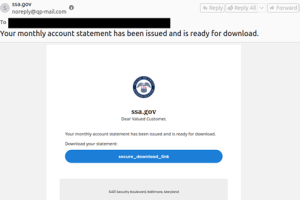
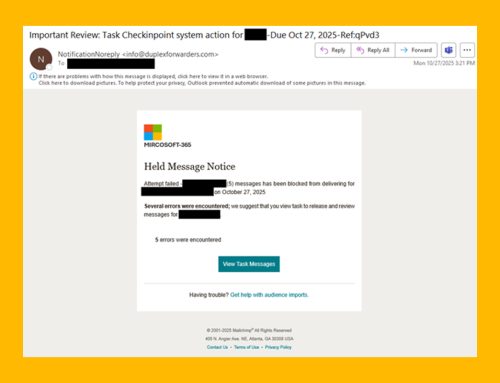
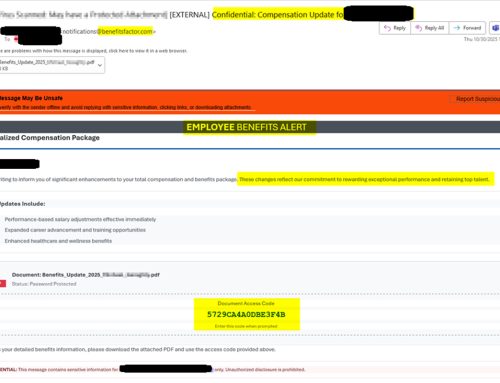
Threat actors use phishing campaigns to persuade potential victims to click on the provided URL, which often leads to a webpage designed to steal credentials or download malicious software. These emails may mimic a trusted brand, create a sense of urgency, or employ other social engineering techniques to prompt a user to click. If you are unsure whether an email is legitimate, visit the official website directly or contact the sender through verified channels.
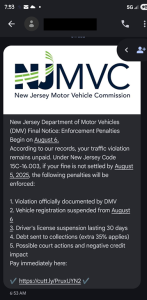
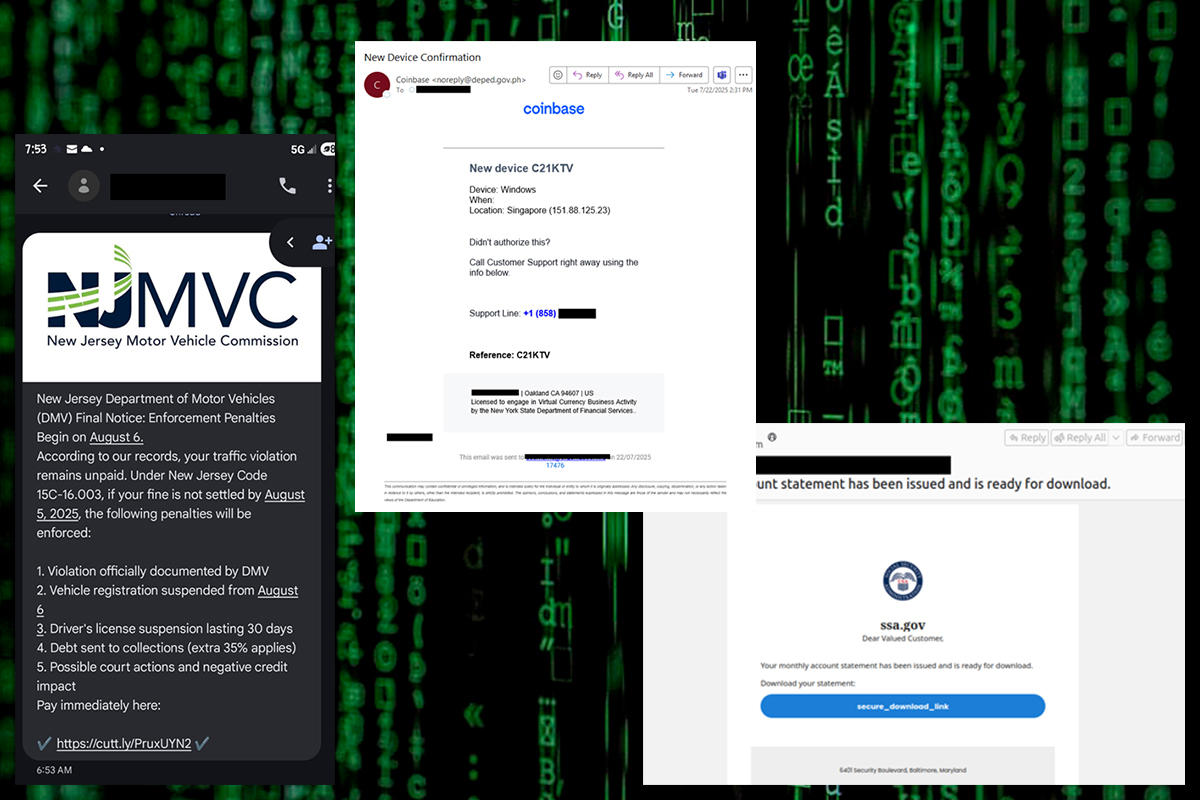
SMS Phishing (or SMiShing) attacks remain a common way to spread scam messages. Recently, threat actors have sent toll violation alerts, Department of Taxation impersonations, package delivery failure notifications, and impersonated US officials. While some messaging applications offer built-in protections against malicious messages, threat actors attempt to trick users into responding to an initial message, bypassing their phones’ security measures.
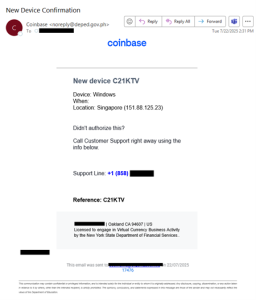
Some phishing attacks do not start with a link. Telephone-oriented attack delivery (TOAD) schemes begin with a lure to convince targets to call the threat actors directly, often by impersonating a trusted authority figure. Once a threat actor receives a call from a potential victim, they use social engineering tactics to gain their target’s trust. After establishing trust, the threat actor sends a follow-up email containing the malicious link or attachment. Threat actors may send a premium subscription renewal or invoice, or they may pose as part of the company’s IT department with instructions to call a provided customer support number.
Although less common, watering hole attacks can be highly effective when employed. In these attacks, threat actors compromise legitimate websites and services commonly used by a subset of individuals or industries. When the compromised site loads, a drive-by download attack begins, causing vulnerable systems to become infected.
As campaigns grow more sophisticated, there are still common signs to look for to help prevent an attack.
- General messages: As threat actors frequently send mass phishing campaigns, messages are more generic and less personalized in nature.
- Link shorteners: Threat actors may employ link shorteners to obfuscate the URL’s true destination.
- URL text display: The URL displayed in a message may differ from the true URL destination.
- Sender address: The sender’s email address does not match the official email address of the company they claim to represent. Display names associated with sender email addresses can be easily modified.
- Too good to be true: Scammers may make false promises or offer monetary compensation to entice victims. If an offer seems too good to be true, it probably is.
- Caller ID: Scammers may employ caller ID spoofing to appear as though they are calling or texting from numbers associated with legitimate companies and organizations.
Recommendations
- Look for red flags such as requests for personal or financial information, links to unexpected documents or messages, and urgent requests.
- If you are uncertain about the legitimacy of a message, contact the organization or individual mentioned in the message directly to verify the information and request.
- If you suspect an account has been compromised, change the account’s password immediately, enable multi-factor authentication, delete any inbox rules that have been put in place, and revoke any session tokens.
- Forward the scam text message to your carrier’s spam reporting service (often 7726).
- Report malicious activity to the NJCCIC, FBI’s IC3, and report scam text messages to the FTC.