Abuse of Legitimate Platforms

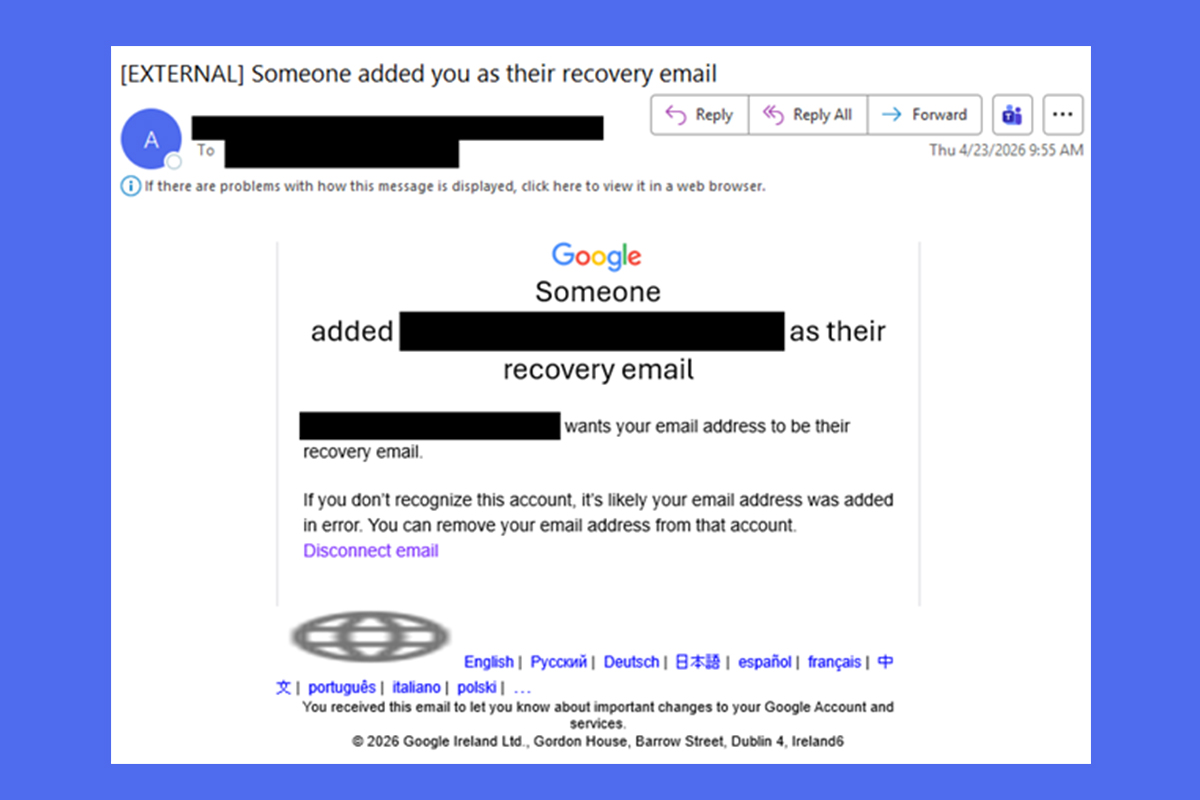
The NJCCIC continues to receive reports of phishing campaigns that utilize social engineering tactics, exploit compromised accounts, and abuse trusted, legitimate platforms to harvest account credentials or install malware. In one campaign, threat actors send Google notifications that claim to add the target’s email address as their recovery email. The phishing attempt includes a “Disconnect email” link to remove the email address, masking the malicious link and tricking their targets into navigating to a fake login page. Other labels for the malicious link are “Disavow,” “Dissociate,” and “Stop receiving.”
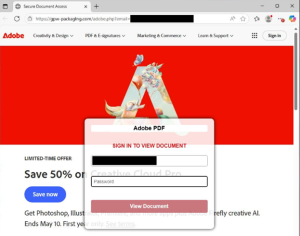
If the link is clicked, targets are redirected to a newly registered website with the Adobe name and the target’s email address in the URL. The website uses a mismatched template to sign in to view an Adobe document, rather than using Google’s platform to sign in with an email address. The email address field is already prepopulated with the target’s email address to make it easier for them to enter their password. If entered, the credentials are stolen by the threat actors in the background.
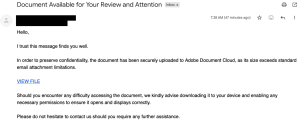
If the link is clicked, the target is directed to a webpage with a .br top-level domain (TLD) that impersonates the Adobe Document Cloud. This malicious page automatically downloads a purported Adobe PDF file with the sender’s organization name in the filename. If the file is clicked, it downloads a malicious executable with the sender’s organization name in the filename to install a “required” Adobe plugin to view the document. The download and installation of these files may put devices at risk and expose sensitive information. Further analysis reveals that this campaign performs a range of tasks, including evading defenses, establishing persistence, gathering system information, escalating privileges, and installing other malware.
Recommendations
- Exercise caution with communications from known senders or legitimate platforms.
- Confirm requests from senders using contact information obtained from verified, official sources before taking action, such as clicking links or opening attachments.
- Check account security settings directly in the legitimate platform instead of clicking on links in emails.
- Navigate directly to legitimate websites and verify before submitting account credentials, providing personal or financial information, or downloading files.
- Enable MFA and keep systems and browsers up to date.
- If victimized, disconnect from the internet and run anti-virus/anti-malware scans.
- If sensitive information was entered, change passwords for compromised accounts, monitor for unauthorized activity, and review the Identity Theft and Compromised PII NJCCIC Informational Report for additional recommendations and resources, including credit freezes and enabling MFA on accounts.
- Report malicious cyber activity to the NJCCIC and the FBI’s IC3.