Legitimate Jotform Platform Exploited

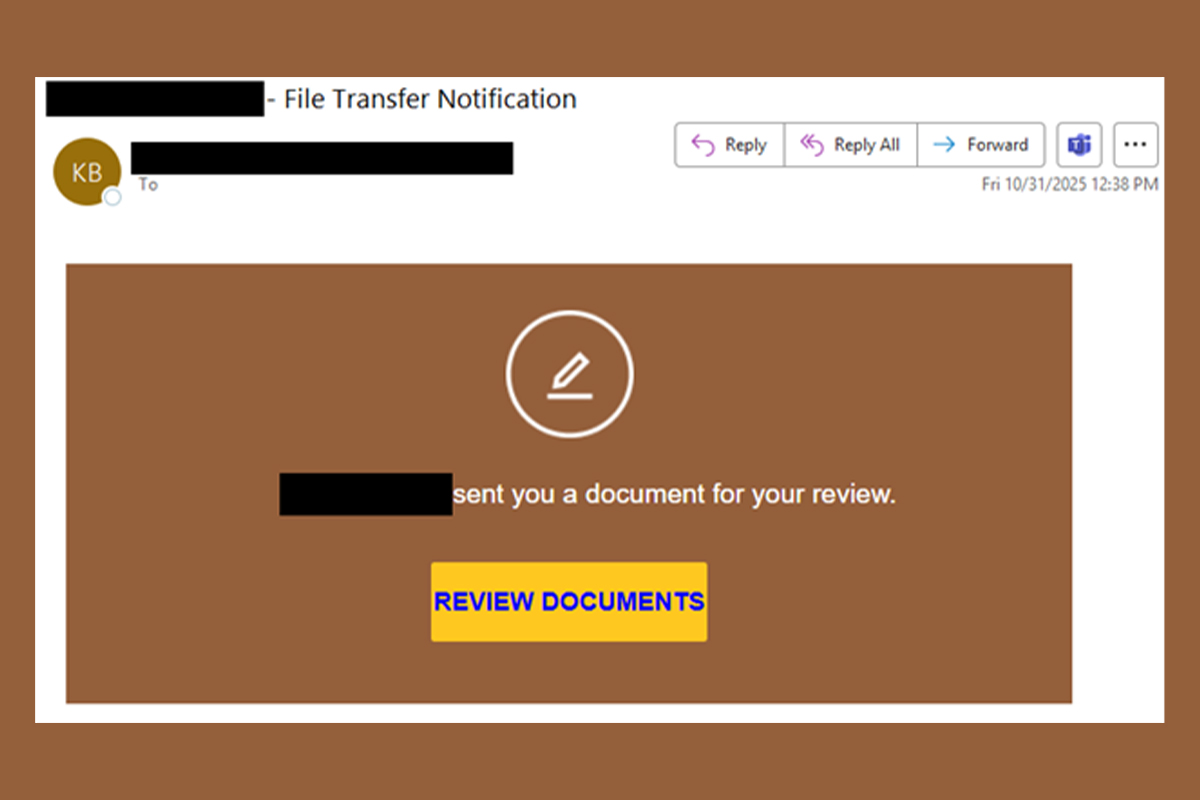
Jotform is used to create online forms and apps to collect data, process payments, and automate workflows without coding. It is a versatile tool for businesses and individuals in legitimate use cases. However, Jotform can also create opportunities for threat actors to exploit it for malicious purposes, such as phishing, information gathering, and malware distribution. The NJCCIC received multiple reports of a phishing scam abusing Jotform to steal account credentials. Threat actors compromised the user’s account and utilized the user’s signature and organization branding to send multiple phishing emails. The emails purport to be powered by Docusign and claim to be a document for review. Depending on the campaign, the subject line indicates a file transfer notification (which differs from the message content as shown in the above image) or a named document for review.
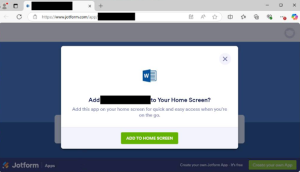
If the “Review Documents” button is clicked, the target is directed to the Jotform platform, which displays a fake form to convince users to “install” an app. Threat actors use the sender’s organization name from the compromised account to label the form title in the web browser’s tab and app, making it appear legitimate. Installing an app to view a document is typically a red flag, especially for popular Microsoft or Adobe products and services, as many businesses currently utilize them for work assets. If the “app” is installed, it is added to the home screen and claims to open and run safely in a focused window, offer quick access options such as pinning to the taskbar or start menu, and sync across multiple devices. Additionally, the user is prompted with a Cloudflare check to verify that they are human and “activate” safe browsing features.
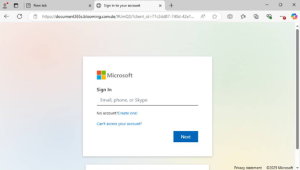
A Microsoft phishing page is displayed, featuring stolen branding, to trick users into entering their account credentials to review the supposed document. Another red flag is the URL because it does not contain “Microsoft” in the domain name. Instead, it includes “document365s” and uses “.com” appended with a sneaky “.de” top-level domain (TLD) to appear legitimate.
Recommendations
- Exercise caution with communications from known senders or legitimate platforms.
- Confirm requests from senders via contact information obtained from verified and official sources before taking action, such as clicking on links or opening attachments.
- Type official website URLs into browsers manually and only submit sensitive information on official websites.
- Keep systems and browsers up to date.
- Report malicious cyber activity to the NJCCIC and the FBI’s IC3.