Retirement Benefits Meeting Phishing

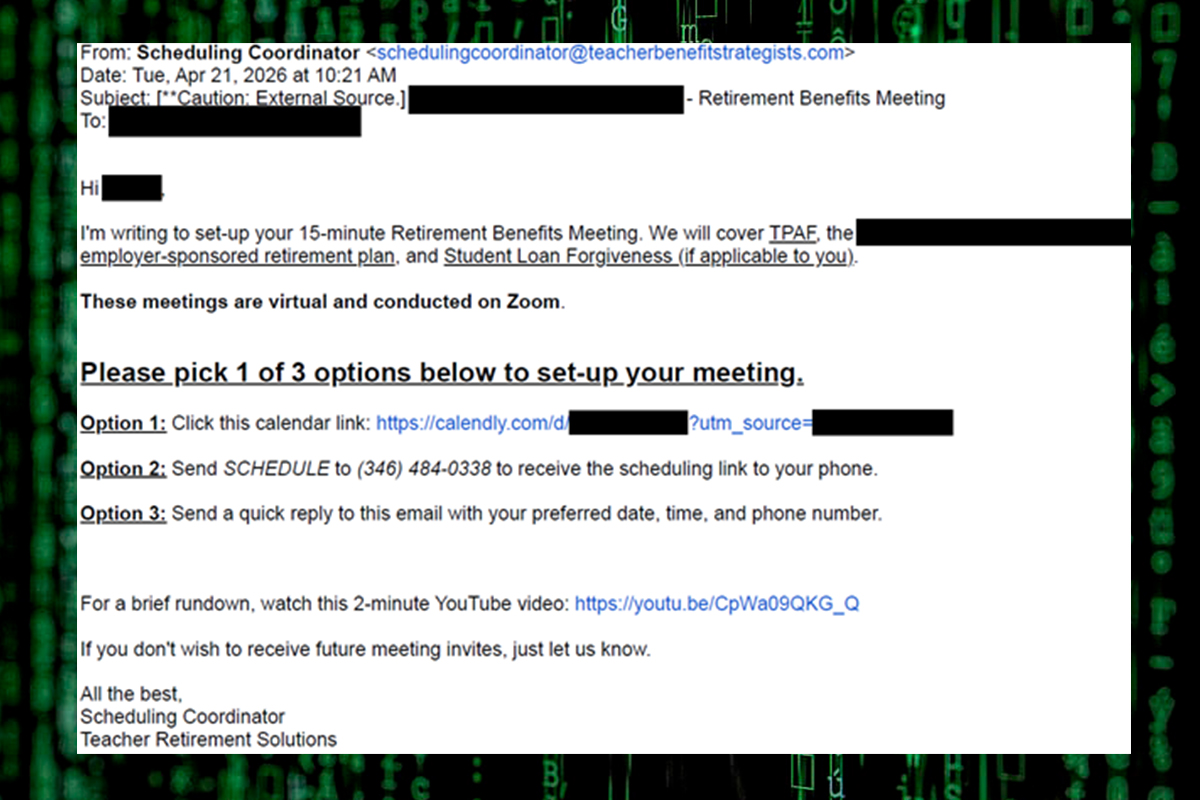
The NJCCIC received reports of another retirement benefits meeting phishing campaign targeting pension plan members, including New Jersey teachers. Cyber threat actors use social engineering tactics to initiate contact by email. The subject line includes the target organization’s name, followed by “Retirement Benefits Meeting.” The phishing email is addressed to “Employee [first name]” and contains a YouTube video to appear legitimate. The virtual Zoom meeting claims to cover the Teachers’ Pension and Annuity Fund (TPAF), the target organization’s employer-sponsored retirement plan, and student loan forgiveness, if applicable. However, the legitimate New Jersey Division of Pensions and Benefits (NJDPB) does not use the Zoom platform for virtual meetings or appointments.
Sender email addressrd in this campaign use .com, .net, and .org top-level domains (TLDs), as well as domains containing keywords, such as teacher, benefit, retirement, pension, consultation, consulting, plan, advisor, services, expert, and support. The domain in the sender’s email address differs from the organization name in the purported email signature, and the message is sent from a generic “Scheduling Coordinator.”
The phishing email presents three options for scheduling a meeting, including a Calendly link, a phone number to receive a text message with the scheduling link, and a quick reply to the email with a preferred time slot. Cyber threat actors use calendar invites, such as Calendly, in phishing campaigns as they are more likely to bypass email security filters and be delivered to end-user inboxes.
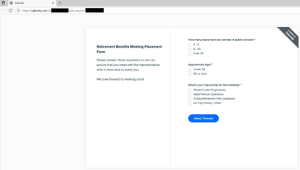
If the Calendly link is clicked, targets are presented with a Cloudflare prompt to appear legitimate and perform a security verification. They are then directed to a phishing page through Calendly to answer questions, select available dates and times, and submit contact information. Cyber threat actors exploit this campaign to potentially steal sensitive information or account login credentials, compromise pension plan accounts, update direct deposit information, transfer or release funds to attacker-controlled accounts, obtain remote access to the target’s system, or install malware.
Recommendations
- Refrain from opening attachments or clicking links delivered in meeting invites, even those from known contacts, unless they are expected and in line with an established relationship.
- Confirm the legitimacy of these requests by contacting the sender via a separate means of communication, such as by phone, using contact information obtained from NJDPB’s official website.
- Navigate directly to NJDPB’s official website to schedule an appointment and submit sensitive information.
- Use strong, unique passwords and enable multi-factor authentication where available, choosing authentication apps or hardware tokens over SMS text-based codes.
- Reduce your digital footprint so that threat actors cannot easily target you.
- Notify your organization’s IT department if you believe you received a suspicious calendar invite or if you clicked on a link or opened an attachment and suspect the communications may be malicious.
- Report malicious cyber activity to the NJCCIC and the FBI’s IC3.